

AR Remote Assistance for Overhead Crane Maintenance
AR-assisted overhead crane maintenance with remote expert annotations via AR glasses — 40% faster than video calls, no more guessing over the phone.
Here's a scenario every maintenance crew knows too well: the one engineer who truly understands the equipment is out of town, and the technician on the shop floor is staring at a complex electrical schematic with no idea where to start. Phone calls go nowhere — "See that blue relay? No, not that one, the one next to it..." — a conversation that has played out in every workshop. And for structurally complex jobs, like replacing the input shaft oil seal on a gearbox, thirty minutes on the phone can't compete with a single glance in person. But by the time the expert arrives, the crane has already been down for hours.
Augmented Reality (AR) changes that. Using a headset like HoloLens 2 or Apple Vision Pro, AR overlays virtual annotations directly onto the technician's first-person field of view. The remote expert, viewing the live feed from a desktop, can draw arrows, write notes, and circle components in mid-air — the technician sees those annotations in real time through the AR glasses. No training required; put on the headset and go. After more than a year of daily use, our takeaway is clear: this isn't a tech gimmick — it's a practical tool that solves the real problem of "not enough experienced hands."
A basic AR maintenance system (1 AR headset + 1 expert workstation + 1-year software subscription) runs approximately $4,500–$7,500. One or two headsets per crane can cover the entire workshop's maintenance needs. Factoring in reduced expert travel and faster fault resolution, the system typically pays for itself within 6–12 months.
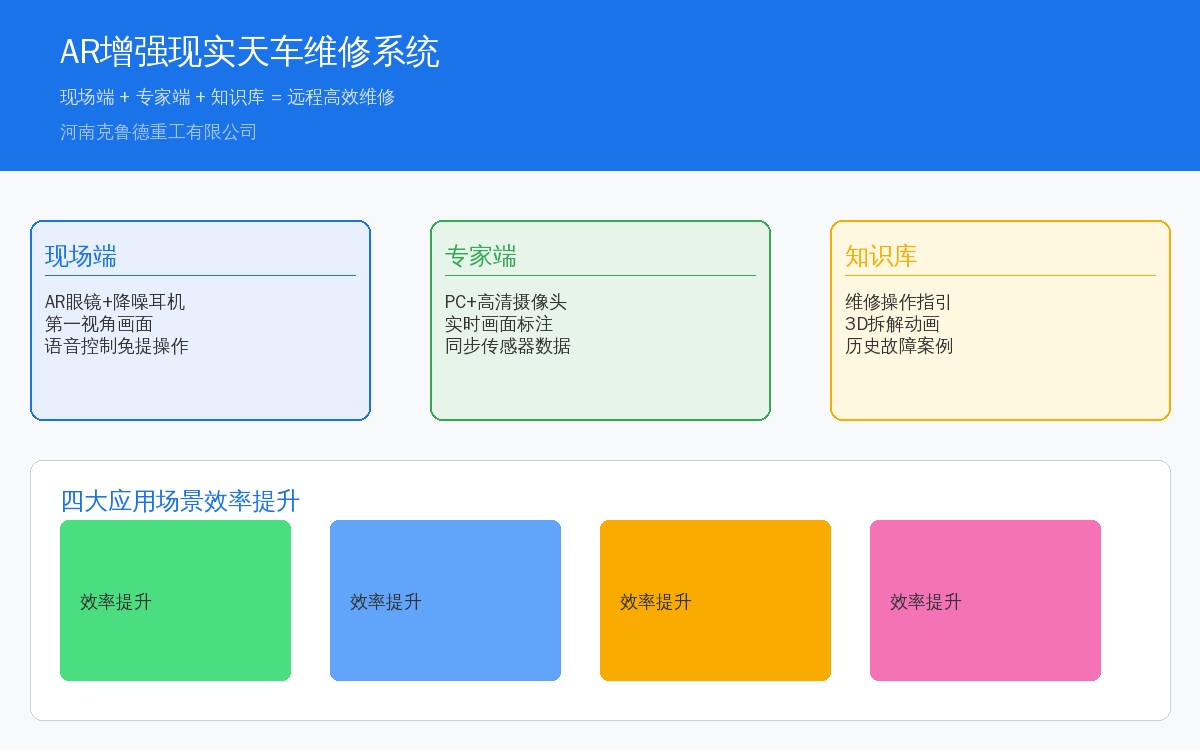
Four Key Applications of AR in Crane Maintenance
1.1 Remote Fault Diagnosis
This is the most frequently used scenario. The technician connects with a remote expert via AR glasses; the expert's screen shows the technician's first-person view alongside real-time crane operating data (vibration, temperature, current). The expert highlights suspicious areas on the feed, and the technician inspects accordingly. A typical case: when a VFD trips on an OC overcurrent fault, the remote expert sees the error code on the panel and immediately circles "check motor junction box" and "measure insulation on the output side" — the technician follows the cues and resolves the issue in 15 minutes. Previously, this type of fault meant waiting half a day for an engineer to arrive on site.
1.2 Step-by-Step Maintenance Guidance
Replacing a friction lining no longer requires flipping through a manual. The AR system identifies the equipment model and automatically loads the corresponding service procedure. Steps are overlaid as 3D animations on the actual hardware — "loosen these 4 bolts (arrows point to each bolt), remove the dust cover, use the special tool to compress the compression spring, and pull out the locating pin..." Each step is confirmed via gesture or voice command before the system advances to the next. The technician never looks down at a phone or tablet — both hands stay on the job.
1.3 New Operator Training
Traditional crane maintenance training means six months of shadowing a senior technician, with at least three hands-on sessions on live equipment before anything sticks. AR training turns the disassembly process into a 3D interactive model — a new hire puts on the headset, walks around the virtual crane, and uses hand gestures to open the hoisting mechanism housing to examine the internal gear, bearing, and oil seal assembly relationships. Mistakes don't damage equipment, and trainees can repeat exercises as many times as needed. Only after passing the AR-based assessment do they move to hands-on work on a real crane. We've cut the training cycle from six months down to two.
1.4 Spare Parts Identification and Lookup
When a technician removes a worn component and isn't sure of its model number, they simply take a photo with the AR glasses. The system instantly identifies the part type (brake lining, encoder, contactor, or relay) and matches it against the spare parts database — model, manufacturer, stock level, and price — all displayed directly in the field of view. No more "carry the part back to the office, look it up on the computer, and walk back to the storeroom" trips.
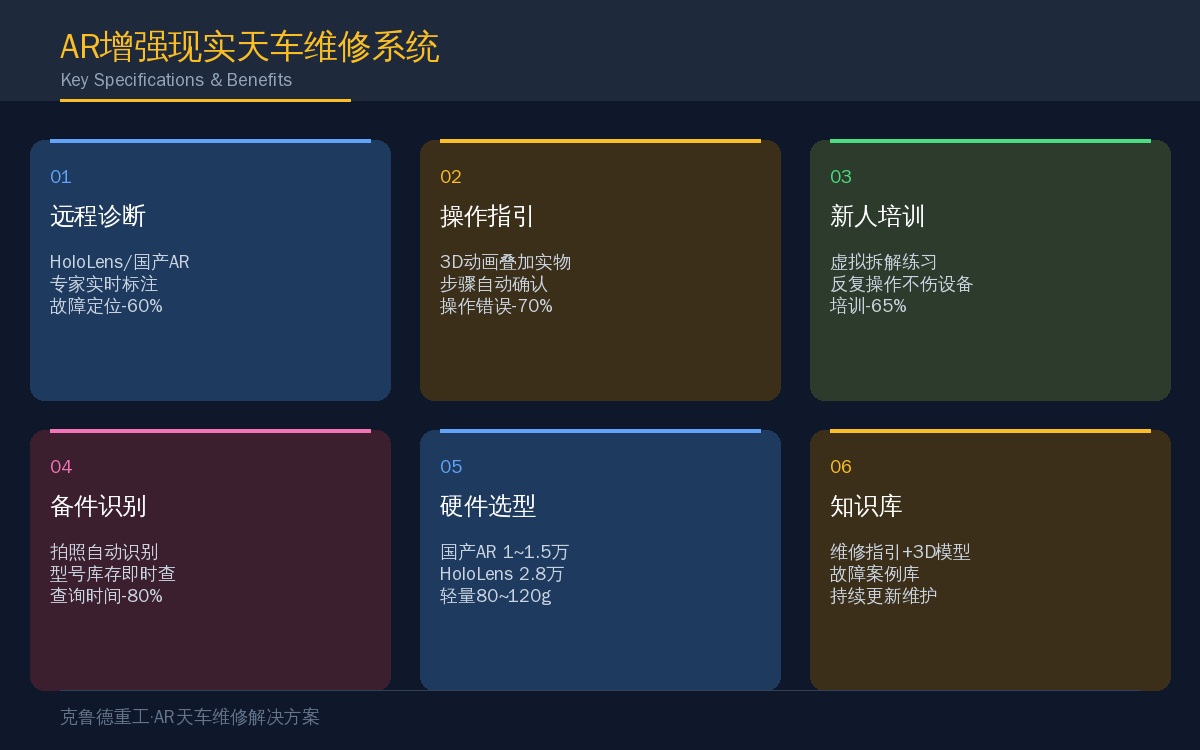
| Scenario | Traditional Method | ARTraditional Method | Efficiency Improvement |
|---|---|---|---|
| Remote Fault Diagnosis | Phone Call+We Chat Photo | First-Person View+Expert Annotation | -60% |
| Maintenance Operation Guidance | Manual Step Reference | Step Overlay+3DAnimation | Operational Error-70% |
| New Operator Training | Mentor-Led Training6Months | 3DInteractive Breakdown | New Operator Training-65% |
| Spare parts Inquiry | Nameplate-to-PC Lookup | Auto Photo Recognition Identification | Spare parts Inquiry-80% |
Hardware Solutions Compared
| Equipment | Unit Price | Weight | Battery Life | Protection Rating | Recommended Use Case |
|---|---|---|---|---|---|
| Holo Lens 2 | Approx.2.810K | 566g | 2~3h | IP50 | Indoor Diagnosis+New Operator Training |
| Apple Vision Pro | Approx.2.510K | 650g | 2h | — | New Operator Training+Solution Review |
| Domestic ARSmart Glasses | 1~1.510K | 80~120g | 4~8h | IP54 | On-Site Remote Diagnostics |
Selection advice: If your primary use case is on-site remote diagnostics (connecting with experts and viewing live video), we recommend a domestic AR headset—lightweight, long battery life, and rugged enough for a full shift without fatigue. For training and design reviews, the HoloLens 2 is the better choice—its gesture interaction and 3D projection capabilities are more mature.
System Architecture Overview
The AR maintenance system consists of three components: the field end (AR headset + noise-cancelling headphones), the expert end (PC + camera + software platform), and the backend (maintenance knowledge base + equipment data interface). The field and expert ends communicate in real time via WebRTC, while knowledge base data is stored either in the cloud or on a local server.
The knowledge base is the system's core asset. Data that needs to be pre-recorded includes: 3D models of each overhead crane model (from point-cloud scans or CAD exports), step-by-step guides for each maintenance procedure (in image, video, or 3D animation format), and troubleshooting workflows for common faults (structured as decision trees). The better the knowledge base, the greater the value the AR system delivers.
Key Implementation Considerations
1. Pilot one use case before scaling. Don't try to roll out all four scenarios—remote diagnostics, guided maintenance, training, and spare parts identification—at once. We recommend starting with remote fault diagnosis only: it requires the least hardware (one headset + one PC), the smallest knowledge-base build effort (no pre-recorded guides or 3D models needed), and delivers the most immediate value (an expert can assess the situation and provide recommendations at a glance). Once this is running smoothly, expand incrementally.
2. Validate your network environment first. AR remote diagnostics depends on real-time video transmission. We recommend a minimum of 10 Mbps upload bandwidth (field end) and 20 Mbps download (expert end). Latency under 100 ms provides the best experience. 5G coverage in the workshop is ideal; Wi-Fi 6 also works, but make sure roaming handoffs don't interrupt the session.
3. Technician adoption is a real hurdle. Many maintenance technicians are resistant to wearing AR headsets—"too heavy," "makes me dizzy," "afraid of breaking it." We suggest choosing a lightweight domestic AR headset (80–120 g) and having one or two enthusiastic technicians pilot it first, letting real results convince the rest of the team. In our experience, the incentive that works best is simple: those who adopt it first get priority access to remote expert support—no waiting. That beats any training program.
4. Keep the knowledge base current. The knowledge base is not a one-time build. New findings from each maintenance record—a specific fault pattern in a particular VFD model, or accelerated wear in a batch of brake pads—should be logged promptly. Assign someone to spend half a day each week updating and maintaining it.
5. It complements—not conflicts with—safety protocols. AR headsets don't obstruct vision (imagery is overlaid on transparent lenses), so the wearer's field of view remains unobstructed. During maintenance, the AR system prompts "confirm equipment is de-energized and locked out" and "confirm the brake is locked"—these safety steps cannot be skipped. AR-assisted maintenance and safety specifications are complementary, not mutually exclusive.
Frequently Asked Questions
Final Thoughts
The value of AR-assisted maintenance isn't about looking futuristic—it's about helping technicians get it right the first time. When a seasoned expert guides an on-site novice through AR glasses, the outcome is nearly identical to being there in person—but without a full day of travel and hundreds of dollars in trip expenses. The biggest bottleneck in overhead crane maintenance isn't technology; it's people. Experienced technicians are in short supply, and AR is the tool that multiplies their expertise across more sites.
